To see new employees who have become newly eligible, you can see this stat on the Dashboard, labeled “Newly Eligible Employees.”
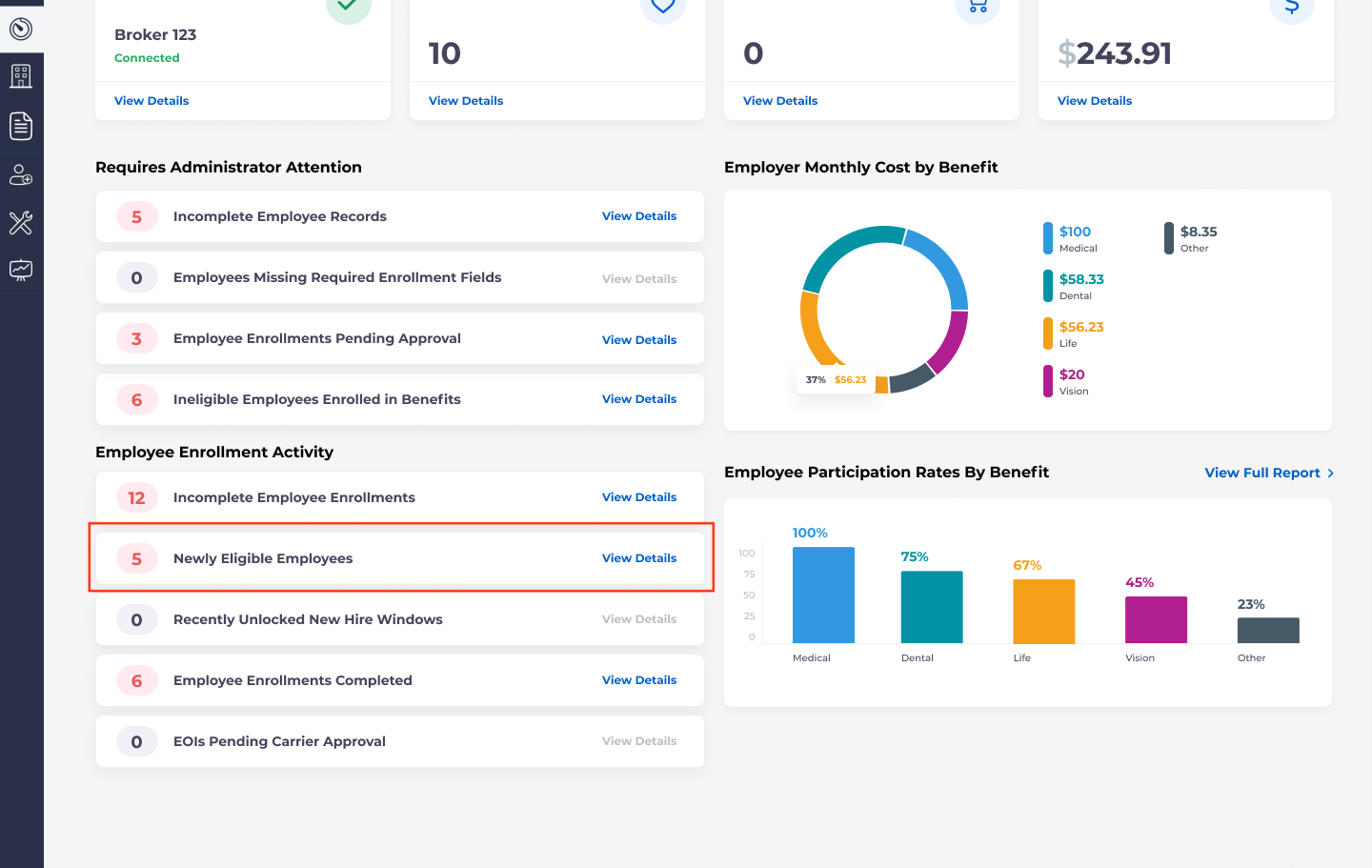 This statistic will show that when as a result of manual, import, or payroll changes to an employee’s profile, they become eligible for at least one new benefit.
If you select View Details, you will see the following popup window:
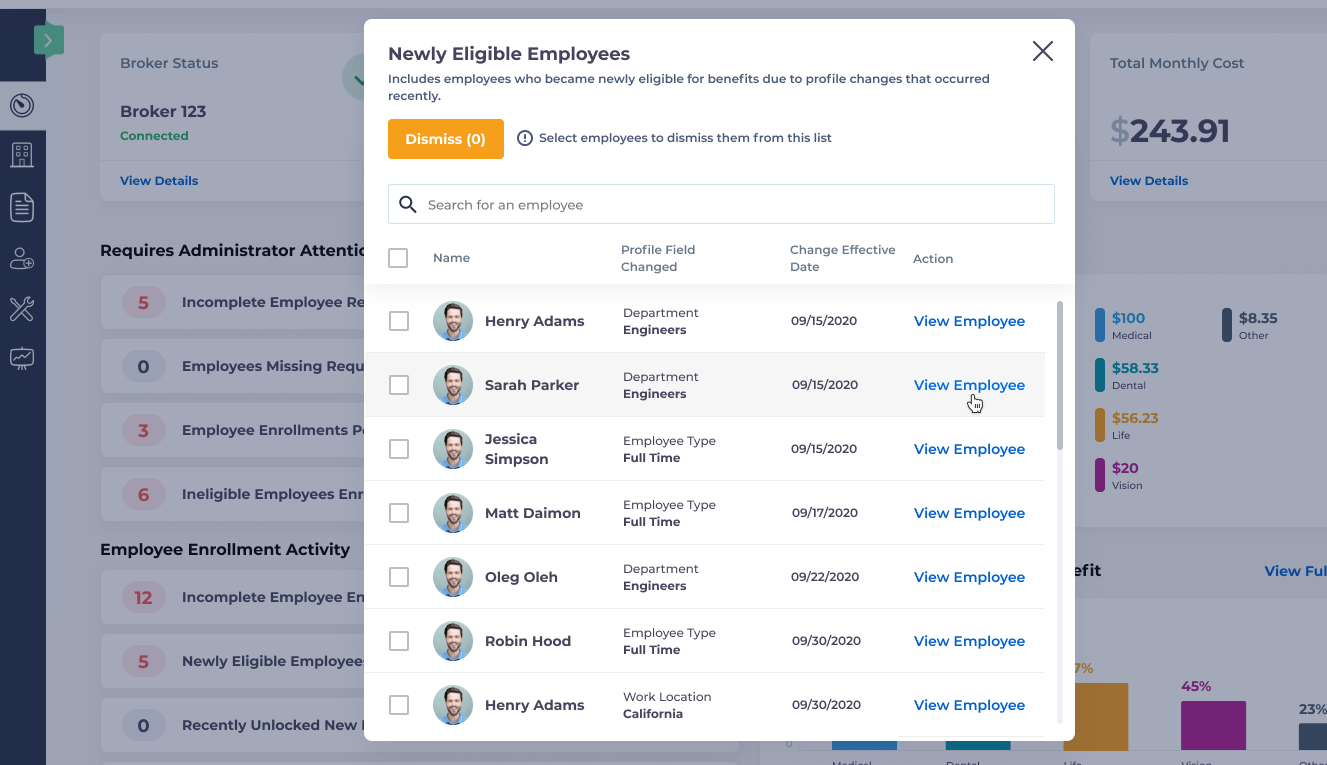
This window will display:
- The name of the employee
- The profile field that was changed
- The new effective date
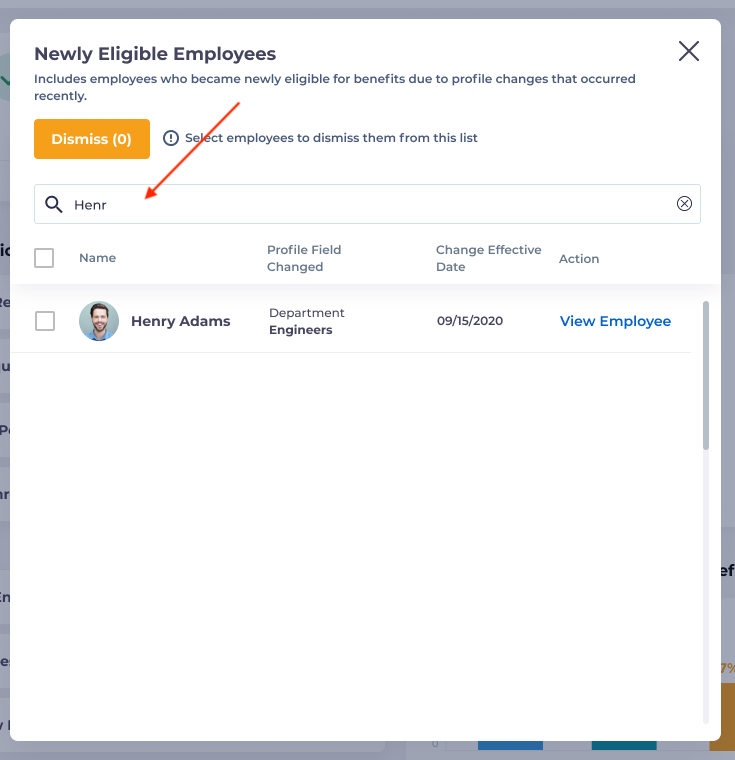
If there are many employees being displayed on this pop-up window, you may wish to search for a specific employee by using the search bar:
You may also remove employees from the list employees from this list by selecting the checkbox next to their name and selecting the Dismiss button.
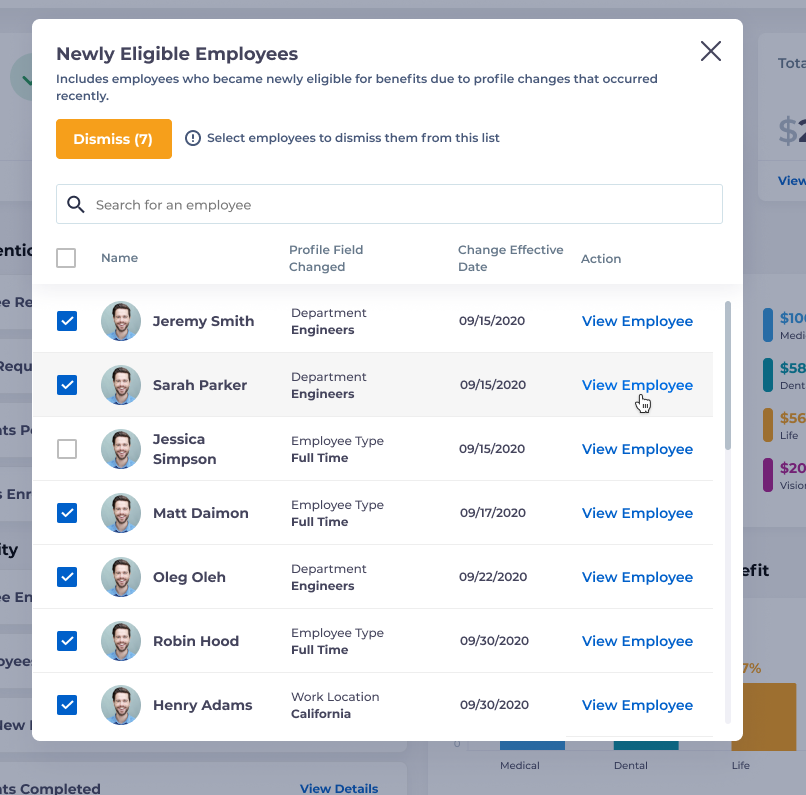
If you select View Employee, this will take you to the benefits tab of the employee’s profile.