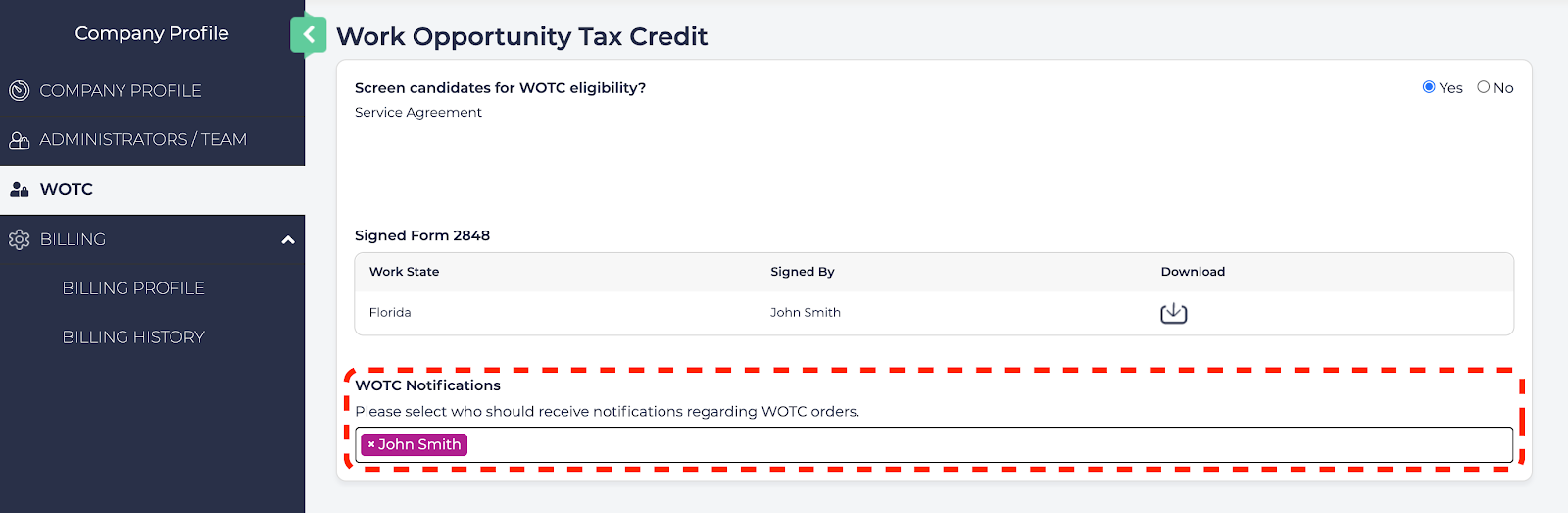
WOTC Administration provides the ability to control your WOTC application settings.
Accessing WOTC Administration
To access the WOTC Administration page:
- Enter the Company Profile and by selecting your user name from the upper right corner, then selecting Company Profile.

- Select WOTC from the left navigation panel.

Screen candidates for WOTC eligibility?
This setting must be set to Yes before any WOTC orders can be submitted. This will provide the Service Agreement that must be reviewed and agreed to before WOTC orders can be submitted.
To view and sign the Service Agreement, follow these steps:
- Set Screen candidates for WOTC eligibility? to Yes.
- Review the Disclaimer and when ready select I accept.
Automatically Process WOTC Orders
WOTC orders must be submitted within 28 calendar days after the new hire's start date (https://www.dol.gov/agencies/eta/wotc/how-to-file ). This means there is no time to waste between onboarding the Employee, gathering their information, and submitting the WOTC order.
The WOTC application can automatically process WOTC orders for qualifying employees.
Download Signed Form 2848
Your Signed Form 2848 is available to be downloaded for your record. Click the Download icon to download your signed form as a PDF file.
WOTC Notifications
You can set your notifications on how often and when your Team Members are notified of WOTC applications and updates.
The WOTC Notifications is the list of what Team Member will be notified on updates to WOTC orders. To add a name, click the WOTC Notifications field and select a Team Member. To remove a Team Member, click the X next to their name.